Table of Contents
- Why Mobile SEO Auditing Needs a Simpler Workflow
- What Is Mobile SEO?
- Share a Webpage and Start an SEO Audit
- Essential On-Page SEO Checks
- Technical SEO Checks Beyond the Basics
- Save Snapshots and Track Improvements
- Compare Competitor Pages Side by Side
- Fix Guides for WordPress, Shopify and HTML
- Content, Keywords and Readability
- Search Results and Social Card Previews
- Organize Projects and Client Work
- Generate PDF and CSV SEO Reports
- Additional SEO Tools
- Who Should Use Mobile SEO?
- Features and Important Limitations
- Download Mobile SEO on Google Play
- Conclusion
- Frequently Asked Questions
Why Mobile SEO Auditing Needs a Simpler Workflow
Think about the last time you wanted to check a webpage's SEO while using your phone. Perhaps you were browsing a competitor's website, reviewing a client's newly published service page or checking whether a recent content update had improved its on-page optimization. You probably had to copy the URL, open another website, paste the address into an audit tool, wait for the analysis and then navigate through the results. Although this process is manageable occasionally, repeating it throughout the day can become unnecessarily time-consuming.
The way SEO professionals work has changed. Research, communication, content reviews and website management increasingly happen across different devices. A mobile phone is no longer just a communication tool; it can also be a practical part of an SEO professional's daily workflow. However, many website auditing experiences are still designed primarily around desktop browsers, leaving users to navigate interfaces that are not always convenient on smaller screens.
This is the problem Mobile SEO aims to address. Rather than trying to replace every professional SEO platform, it focuses on making essential page-level checks accessible from Android. You can inspect important SEO elements, understand potential problems, follow implementation guidance and save your findings for later. The objective isn't to make SEO unnecessarily complicated with hundreds of metrics. It's to help you identify meaningful issues and take the next practical step.
What Is Mobile SEO?
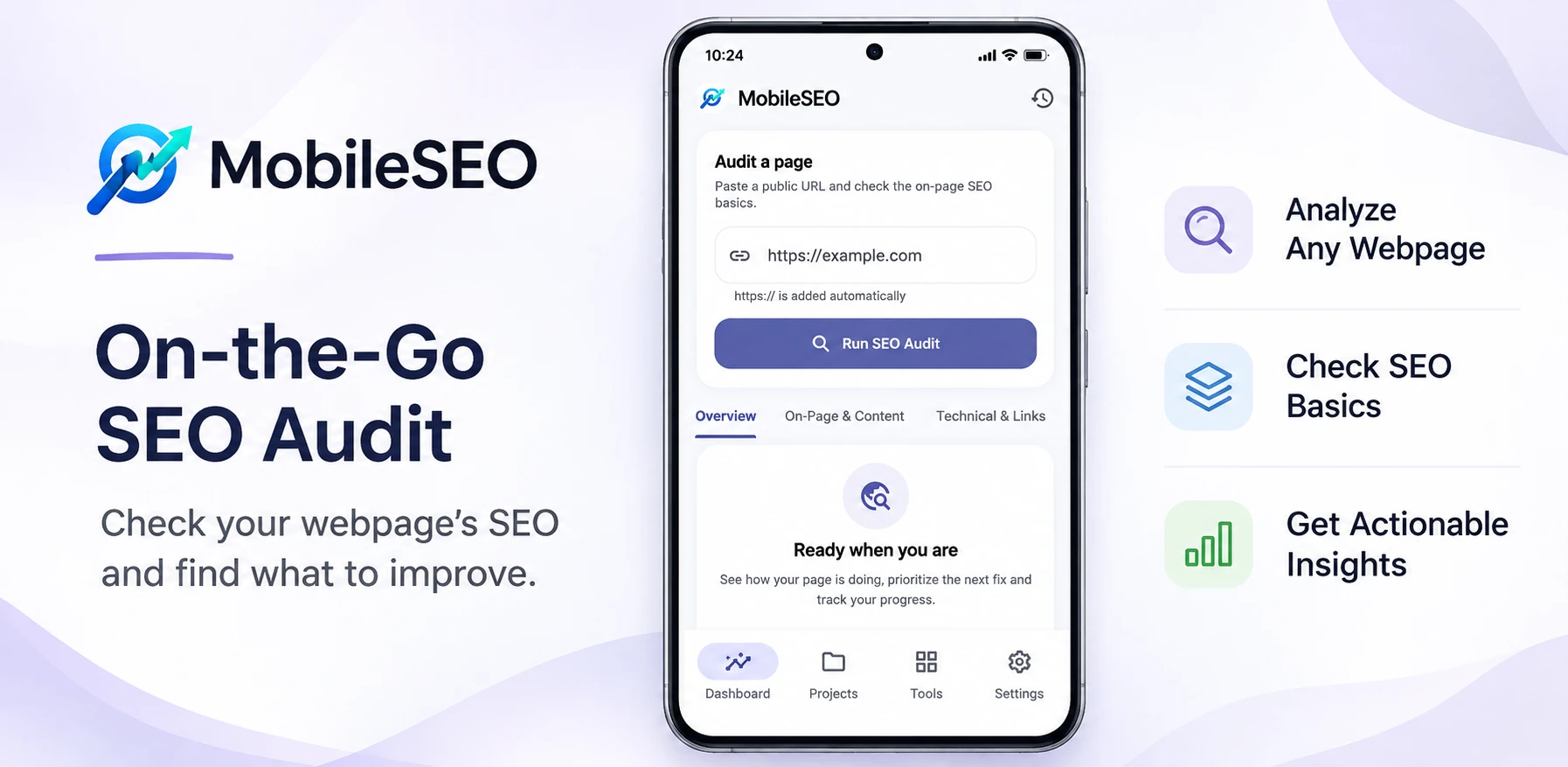
Mobile SEO is an Android SEO audit and website analysis application for checking individual webpages directly from your smartphone. It combines on-page SEO checks, technical diagnostics, content insights, practical fix guides, competitor comparisons and report generation within one application. Whether you manage your own blog, operate an e-commerce store, work as an SEO freelancer or support multiple client websites, the app offers a convenient way to investigate pages without relying entirely on desktop-based workflows.
The application is designed around a simple principle: an SEO audit should not merely produce a score and leave you wondering what to do next. You need to understand what was checked, why a finding matters and how you can address it. Mobile SEO presents prioritized findings alongside relevant page evidence and offers implementation guidance for common website environments, including WordPress, Shopify and standard HTML websites.
After making changes through your website's own administration panel or code editor, you can run another audit to verify whether previously failing checks have improved. This keeps the application focused on analysis and verification while you remain in control of your website.
Another important part of the experience is local data storage. Core audits do not require an account or API key, and the application stores projects, audit history and preferences locally on your device. You can maintain up to 100 audit snapshots, making it easier to revisit earlier results and compare progress.
Local workspace, live webpage checks: Core page analysis runs on your device, but live audits still need an internet connection and contact the websites being checked. The offline sample audit lets you explore the app without connecting to a live website.
Share a Webpage and Start an SEO Audit
One of the most practical features of Mobile SEO is its Android sharing integration. Instead of manually copying a webpage address, opening an auditing website and pasting the URL, you can share the page directly from your browser into the application. This is particularly useful when you're researching competitors, reviewing client websites or checking pages while browsing on your phone.
How the Share-to-Audit Workflow Works
- Open a webpage in Chrome or another compatible Android application.
- Access the sharing menu and select Mobile SEO.
- Review the webpage URL, which is automatically filled in.
- Start the audit when you're ready to analyze the page.
Imagine you're reviewing a competitor's product page and notice that its search listing looks particularly interesting. You want to investigate its title, description, headings and structured-data presence. With Mobile SEO, you can share the page, open the audit screen and start investigating without manually transferring the address elsewhere. The same workflow works for a client's service page, your latest blog publication or a landing page after a website update.
Sharing a URL does not automatically start an audit. The address is prefilled, but you choose when to initiate the analysis. This gives you control over the process and helps prevent unwanted audits.
Essential On-Page SEO Checks in Your Pocket
On-page SEO involves improving the elements of an individual webpage so that users and search engines can better understand its content. These elements include page titles, meta descriptions, headings, images, links and structured data. A page might look visually attractive while still containing missing metadata, poorly organized headings or images without descriptive alternative text.
Mobile SEO brings several of these checks together in one mobile audit. Instead of reviewing every element manually through browser inspection tools, you can run an analysis and examine the available findings from a single interface. This is especially convenient when you want to review a newly published page or recheck changes to an existing one.
Titles, Meta Descriptions and Heading Structure
A descriptive page title helps communicate the subject of a page, while a useful meta description can provide additional context to potential visitors. Google may generate title links and snippets automatically using different page elements, so suitable metadata does not guarantee that Google will display exactly what you provide. Google's documentation on title links and search snippets explains this distinction.
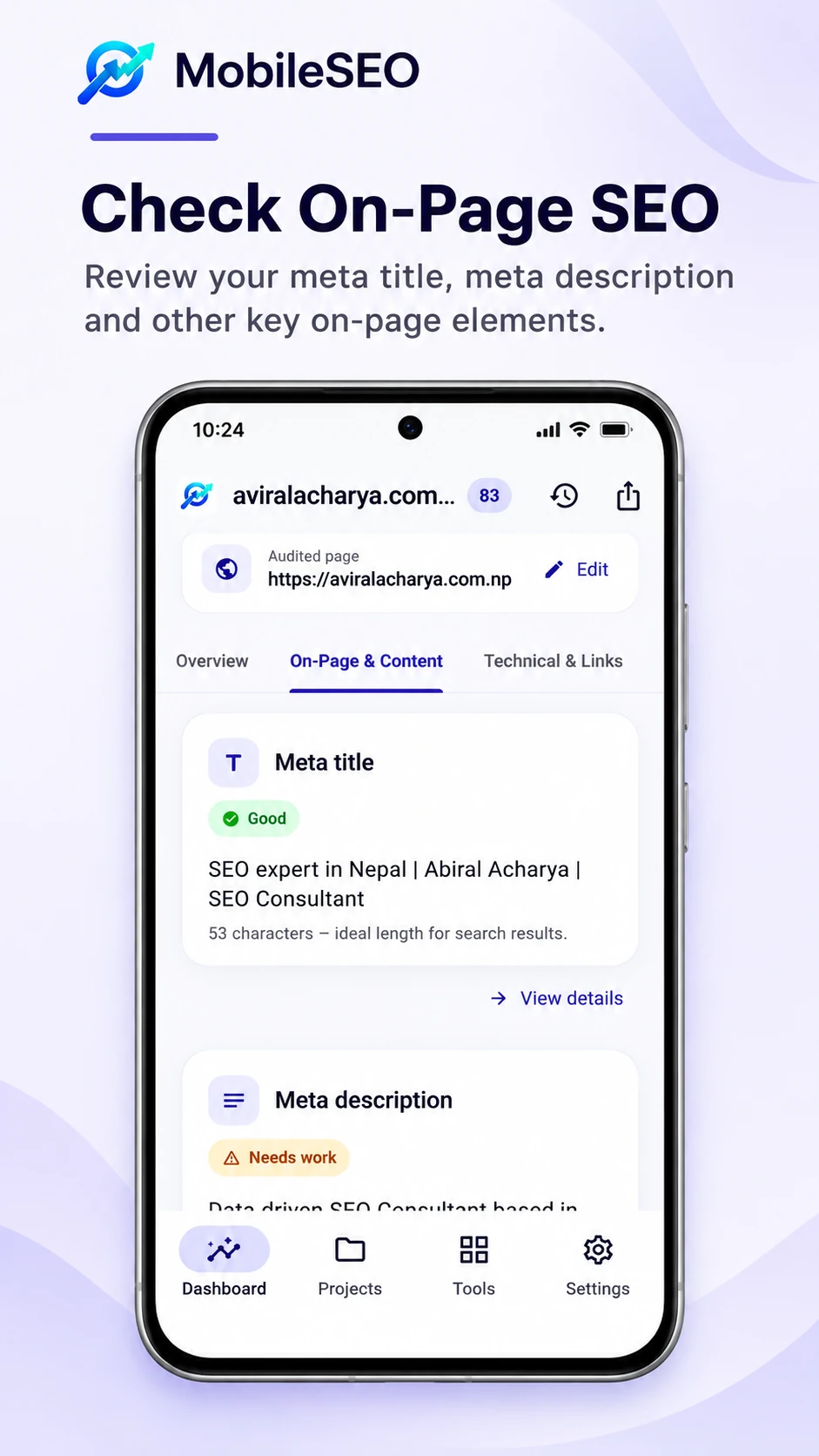
Mobile SEO allows you to inspect the title and meta description of a webpage, including their lengths. You can also review the H1, H2 and H3 heading structure to understand how the content is organized. A blog article with an unclear main heading or inconsistent subheadings may benefit from a structure review. Similarly, a service page with a generic title might need wording that more accurately represents its subject and search intent.
Image Alt Text and Structured Data
Images contribute to the overall experience of a webpage, but users who rely on assistive technologies also need meaningful context about visual content. Alternative text supports accessibility when written appropriately. Mobile SEO checks image alt-text coverage so you can identify images that may need attention. Review each image in context: decorative images may appropriately use empty alt text, while informative images usually need a useful description. The objective is not to add keywords to every image.
The application also checks for JSON-LD structured data presence. Structured data provides machine-readable information about webpage content and can help search engines understand entities and page details. Its presence alone does not guarantee rich results or better rankings, and the correctness of the markup still matters. Google's structured data introduction provides a useful reference for a deeper review.
For more context on the elements these checks examine, see the on-page SEO guide.
Technical SEO Checks Beyond the Basics
Good on-page SEO requires more than writing attractive titles and organizing headings. Technical elements can influence how search engines access, interpret and process website content. A page might contain excellent information but still have problems involving canonical URLs, indexing directives or crawl accessibility. These details are easy to overlook when you're managing several websites.
Mobile SEO includes technical diagnostics for important signals associated with an individual webpage:
- Canonical URLs and indexing directives.
- Mobile viewport metadata.
robots.txtand sitemap availability.- HTTP responses and security headers.
- Internal and external links.
- An optional broken-link scan of up to 25 unique link destinations.
A canonical URL can help indicate the preferred version of a page when similar or duplicate URLs exist. Indexing directives provide instructions that can influence whether a page is eligible for indexing. Reviewing robots.txt helps you investigate crawler-access rules, although robots.txt should not be treated as a reliable method of removing URLs from search results. HTTP responses can also provide clues when diagnosing pages that fail to load or return unexpected responses.
The optional broken-link scan can help identify potentially problematic destinations within a page's links. It is a limited page-level check, not a full crawl of every link on an entire website.
You can inspect a page, review its findings and decide which issues need deeper investigation. A mobile audit is a diagnostic starting point, not a replacement for comprehensive crawling, server-log analysis or Google Search Console. For a broader investigation, use the technical SEO audit checklist alongside your page-level findings.
Audit Your Next Webpage on Android
Check on-page and technical SEO directly from your phone.
No account or API key required for core audits.
Save Audit Snapshots and Track Improvements
An SEO audit is most useful when its findings lead to actual improvements. Running an audit once, looking at a score and then forgetting the results doesn't create a sustainable optimization process. You need a way to revisit previous findings, identify completed work and verify whether the changes you published have made a difference.
Mobile SEO supports up to 100 locally stored audit snapshots, allowing you to retain previous results and revisit them later. Rather than treating each audit as an isolated activity, you can build a record of the optimization work performed on individual webpages.
The before-and-after comparison feature is particularly helpful here. Suppose you audit a blog article and discover that its meta description is missing, some images lack alt text and its heading structure needs improvement. You can save the original audit, make the required changes through your website editor and run another audit of the same page. Mobile SEO can then compare the two snapshots and identify resolved, new and remaining issues.
A previously failing check is considered improved only when a later audit of that same page passes it. This creates a more meaningful record than simply marking a task as completed because you attempted to fix it. It also distinguishes measured improvements from changes that are still pending verification.
A practical optimization cycle: Audit → investigate → implement → publish → recheck. Save the original result before making changes, then compare it with a fresh audit of the same webpage.
Compare Competitor Pages Side by Side
Competitor research is an important part of developing an SEO strategy. Sometimes, comparing two individual webpages reveals useful differences in their titles, descriptions, heading structures, image optimization and structured-data implementation.
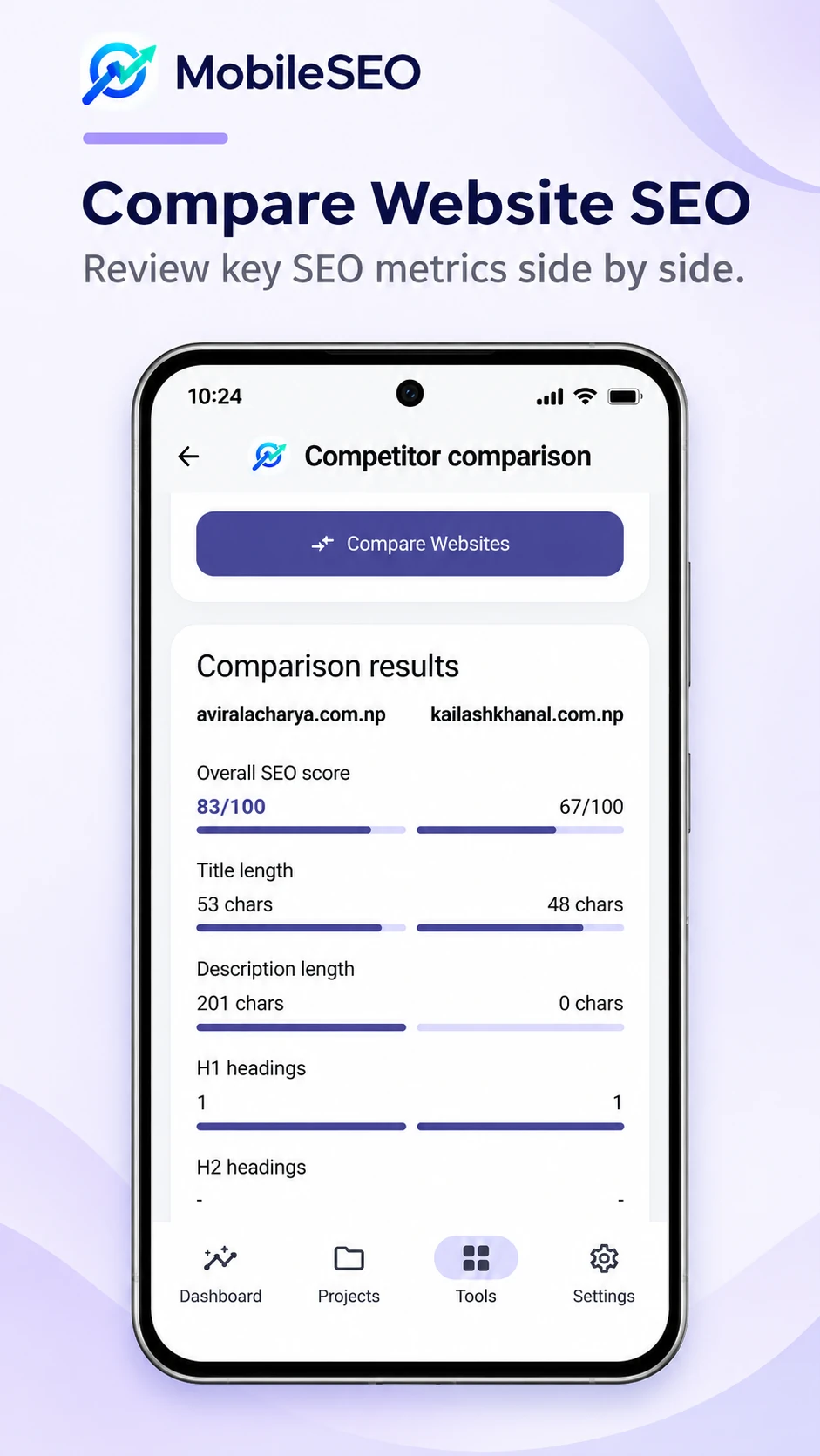
Mobile SEO allows you to examine two pages side by side across core SEO signals, including overall audit scores, title and meta description lengths, heading counts, missing image alt text, structured-data presence and crawl-file availability. Instead of switching between multiple audit screens and manually recording observations, you can review the selected comparisons in one place.
If you're optimizing a local business service page, you might compare it with a competitor's equivalent page to understand how their titles are structured, how many headings they use and whether their pages contain structured data. These observations can help you identify areas worth investigating on your own website and provide ideas for improving content organization.
Competitor comparisons should be interpreted carefully. A higher audit score does not automatically mean a webpage will rank higher in Google. Rankings depend on many factors, including relevance, content quality, competition, authority and technical accessibility. The purpose is practical page-level comparison, not reducing SEO to a single number.
Practical SEO Fix Guides for WordPress, Shopify and HTML
Finding an SEO issue is only the beginning. The next question is usually more important: how do you fix it? A website owner might understand that a page needs a better title but not know where to edit that information. A Shopify store owner may use a different workflow from someone managing a WordPress blog or a custom HTML website.
Mobile SEO includes platform-oriented fix guides for WordPress, Shopify and HTML. Rather than assuming everyone has the same technical knowledge, the guidance helps users approach common optimization tasks in their own website environment.
For example, the process for adding a missing meta description depends on how the website is managed:
- WordPress: Update the relevant field through an SEO plugin or the editing tools available on your website.
- Shopify: Edit the search engine listing information within the product, collection or page settings.
- HTML: Update the relevant metadata directly in the page source.
You can identify an issue, consult the relevant guide, track the fix as in progress, make changes in your own website editor and then return to Mobile SEO to check the published page. The application does not automatically publish changes to your website. You remain in control of implementation, while subsequent audits help verify the results.
This approach is useful for beginners who need direction and experienced professionals who want a convenient way to review routine optimization tasks.
Content Analysis, Keywords and Readability
Technical checks are important, but the actual content of a webpage deserves equal attention. A page may have the correct metadata and heading structure while still containing poorly organized information, repetitive wording or text that is difficult to read. Reviewing the content helps identify opportunities to improve clarity and relevance.
Mobile SEO provides a quick overview of the text found on a webpage. You can review word counts, frequently used keywords and phrases, keyword density and readability estimates. These observations can guide a more detailed editorial review of how the content is distributed and whether particular terms are repeated unnecessarily.
Imagine you're reviewing a service page targeting a local search query. You want to understand whether the content communicates the service clearly, whether relevant terms appear naturally and whether important information is missing. The app's content analysis can provide an initial overview, but the final judgment still requires reading the page in context.
Keyword density should not be treated as a ranking target. Repeating a keyword a specific number of times does not guarantee better search visibility. Focus on useful information that addresses the reader's needs, explains the subject accurately and uses relevant terminology naturally. Google's guidance on helpful, reliable, people-first content reinforces this approach.
Readability estimates are similarly best treated as guidance rather than absolute judgments. A technical article may naturally require specialized terminology, while a beginner's guide might benefit from shorter sentences and simpler explanations. Editorial decisions should always consider the audience and purpose of the page.
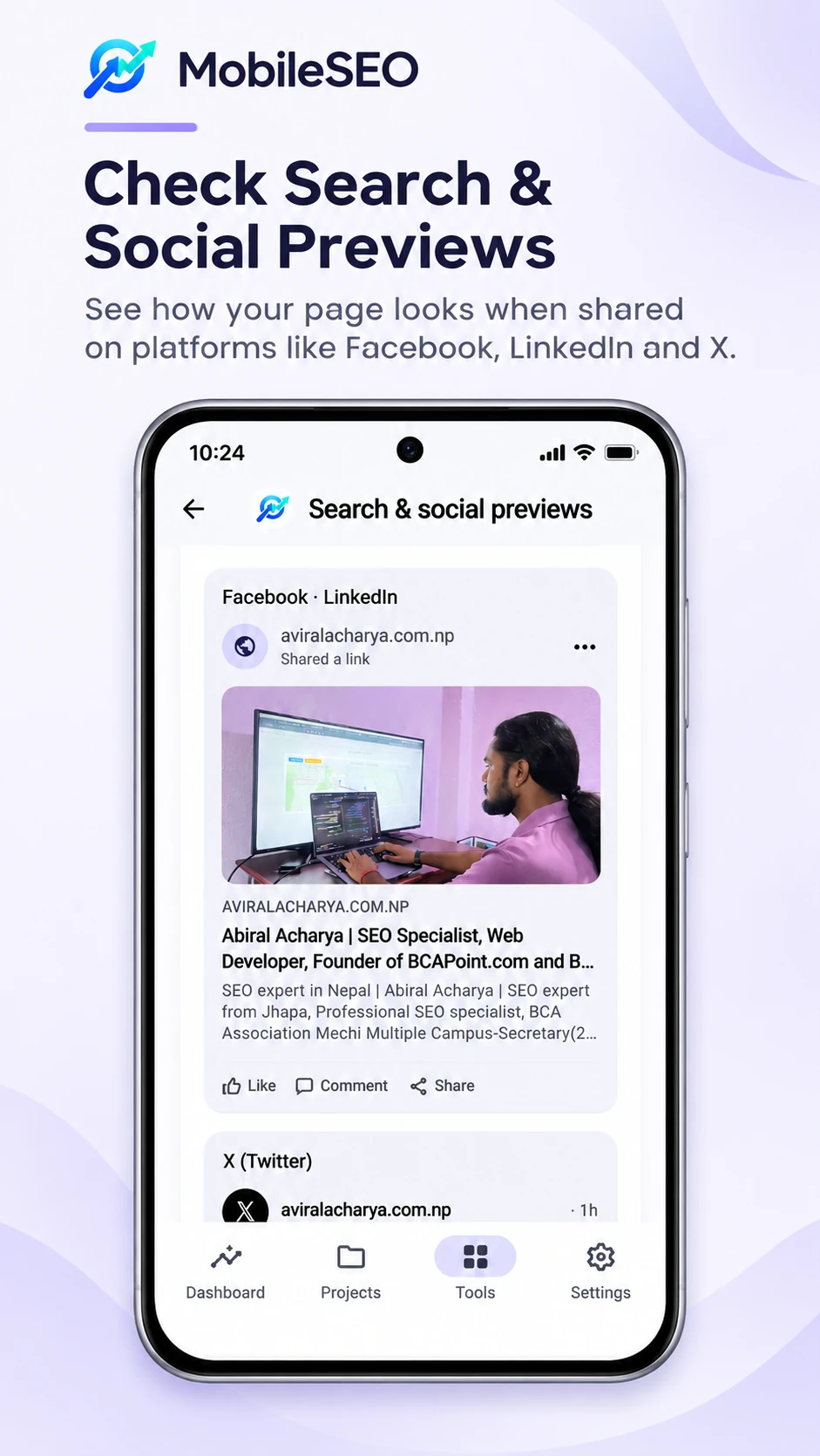
Preview Search Results and Social Sharing Cards
Before updating a webpage's metadata, it can be useful to see how the changes might appear to users. A title that looks appropriate inside a website editor may appear too long or unclear as a search-result headline. Similarly, a social-sharing image may be poorly cropped or a description may not communicate the intended message.
Mobile SEO includes search-result and social-card preview tools for experimenting with titles, descriptions and images. You can test different versions of your metadata and review the proposed presentation before implementing changes on your website.
If you're preparing a blog post about choosing an SEO consultant, you could experiment with a descriptive title, adjust the description and review the preview. You might also test a suitable social image to make the shared page more visually appealing.
These previews are planning tools. Editing a preview inside Mobile SEO does not modify your live website or force search engines to display the same content. Google generates title links and snippets using its own systems and may select different page content when appropriate.
Organize SEO Projects and Client Work
Managing SEO for one website is relatively straightforward. Managing several websites, clients and content projects introduces a different challenge: keeping track of which page belongs to which project and what work still needs attention.
Mobile SEO includes project organization features to make audit history easier to manage. You can name projects, rename them, mark favorites and search saved audit records. An SEO freelancer might create separate projects for an e-commerce website, a local construction company and a travel business instead of mixing every webpage into one long history.
The application also lets users track fixes in progress. When an audit identifies several issues that cannot all be addressed immediately, workflow status provides a record of ongoing work to revisit after implementation.
Another useful distinction is the separation between measured scores and projected improvements. Planning a fix is not the same as verifying a live change. Mobile SEO keeps current audit results distinct from projected outcomes, making progress tracking more transparent.
For independent professionals, this provides a lightweight way to organize mobile audit work without opening a separate project-management platform for every small task.
Generate Professional PDF and CSV SEO Reports
Reporting is a regular responsibility for SEO freelancers, consultants and digital marketing teams. Clients want to understand what was checked, which issues were discovered and what improvements have been made. Screenshots may be enough for a quick conversation, but a structured report is more convenient for documenting work.
Mobile SEO supports PDF and CSV report generation directly on your device. You can include optional client names, brand names, notes, workflow status and before-and-after evidence, then share the report through the applications available on your Android phone.
- PDF reports provide a formatted document for clients or teammates.
- CSV exports provide structured data for spreadsheet review, organization or further analysis.
A freelancer who has completed an optimization review can generate a PDF containing the relevant audit information instead of manually combining scattered screenshots. Notes can explain which issues have been addressed and which still need attention, while before-and-after evidence can document verified changes.
The reporting feature is not intended to replace every enterprise reporting platform. Its purpose is to make useful audit documentation accessible from a mobile device, particularly when you need to share findings without returning to your desktop.
Additional Tools for a More Complete SEO Workflow
Mobile SEO includes additional utilities for everyday SEO tasks. One is the option to open Google PageSpeed Insights with the audited URL already populated. PageSpeed Insights provides a separate performance assessment so you can investigate loading-related opportunities beyond Mobile SEO's core checks.
On-page SEO and website performance are related areas of optimization, but they are not the same thing. A page can have well-organized metadata and headings while still delivering a poor loading experience. Opening PageSpeed Insights is a convenient way to investigate that separate aspect of the website.
The application also includes selected AI-crawler access-rule inspections and checks for the availability of an llms.txt guidance file. These tools help website owners investigate published crawler instructions and supplementary guidance files.
Availability is not guaranteed visibility: An llms.txt file does not guarantee that an AI platform will discover, access, cite or recommend your website. A crawler rule also does not guarantee that every crawler will behave the same way. Treat these checks as technical information for further investigation.
An SEO glossary, frequently asked questions, guided first-audit hints and an offline sample audit help new users explore the application. The sample makes it possible to try the basic auditing experience without connecting to a live website. Light, dark and system themes, along with reduced-motion settings, provide additional control over the experience.
Who Should Use the Mobile SEO App?
Mobile SEO is designed for people who want individual webpage SEO checks from an Android device. You do not need to be a professional SEO specialist, although its features also support routine tasks performed by experienced consultants and digital marketing professionals.
- Website owners and small businesses: Review service pages, landing pages and blog posts for missing metadata, image alt-text issues and other optimization opportunities.
- Bloggers and content creators: Check newly published articles or updated content, then revisit saved findings after making improvements.
- SEO freelancers and consultants: Review a prospect's website, investigate competitors, verify client changes and document findings with PDF or CSV exports.
- Digital marketing teams: Use project organization, comparisons and audit history for smaller investigations within a broader SEO workflow.
- Students and SEO beginners: Explore the offline sample, glossary and fix guides to connect SEO concepts with practical page-level findings.
The basic requirements for a live audit are an Android device, an internet connection and a webpage you want to inspect. Core audits do not require an account or API key.
What Makes Mobile SEO Different?
SEO tools serve different purposes. Some specialize in large-scale crawling, backlinks, keyword research or rank tracking. Mobile SEO takes a more focused approach: individual webpage auditing and progress tracking from Android.
Its practical advantage is the share-to-audit workflow, which removes the need to manually transfer a URL between applications. Saved snapshots and same-page comparisons connect auditing with verification, while fix guides and workflow statuses help turn findings into implementation tasks.
The core workspace uses local data storage, and core audits do not require registration or an API key. This provides a straightforward starting point for people who want to inspect a webpage without setting up another online workspace.
| Feature | Mobile SEO |
|---|---|
| Platform | Android |
| Direct browser sharing | Compatible Android sharing |
| On-page SEO audit | Yes, individual webpages |
| Technical SEO diagnostics | Yes |
| Saved audit snapshots | Up to 100 locally |
| Before-and-after comparisons | Yes, same-page audits |
| Competitor page comparison | Yes, two pages side by side |
| Fix guides | WordPress, Shopify and HTML |
| Project organization | Names, favorites and searchable history |
| PDF and CSV reports | Generated on your device |
| Core audit account requirement | No account required |
| API key for core audits | Not required |
| Offline sample audit | Yes |
Important Limitations to Understand
- Each audit checks a single page's returned HTML and HTTP response, not the entire website.
- Content generated exclusively through JavaScript may not appear in the analysis.
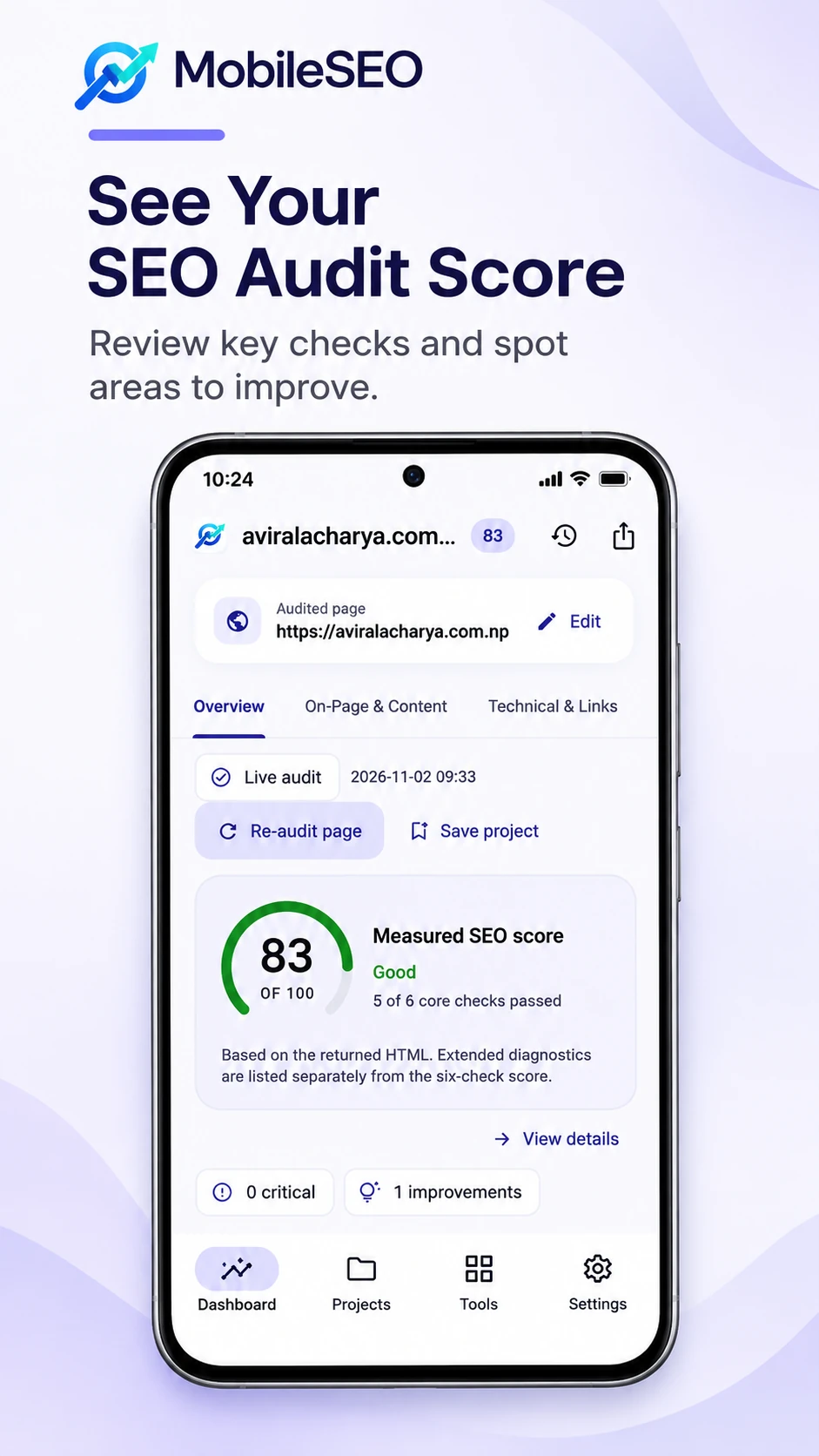
- Scores summarize six core checks and do not predict search rankings.
- Preview edits and fix guides do not change your website. You must publish changes through your own website tools.
- Live audits need network access; the offline sample is a separate demonstration.
A useful SEO application should communicate what it actually measures rather than promise guaranteed ranking improvements. Use Mobile SEO alongside comprehensive crawling, Search Console and other SEO tools when a deeper investigation is needed.
Download Mobile SEO and Simplify Your SEO Workflow
If you regularly inspect webpages, manage client websites or publish content from your phone, Mobile SEO offers a practical way to bring essential SEO checks into your Android workflow.
Begin with a webpage URL or share a page directly from your browser. Review its on-page and technical signals, examine the findings, follow the relevant fix guidance and save the results. When you've published improvements, run another audit and compare the results to understand which issues have been resolved.
Competitor comparisons, content insights, search and social previews, project organization and PDF or CSV exports can support your regular website optimization tasks. The application is designed to complement your existing workflow rather than replace comprehensive professional tools.
Mobile SEO — SEO Audit App for Android
Share. Audit. Improve. Recheck.
Explore the app and share your feedback.
Conclusion
SEO improvement is not a one-time activity. It involves regularly reviewing webpages, identifying problems, implementing changes and checking whether those changes have produced the intended results. Desktop-based platforms remain valuable for comprehensive research, but a simpler mobile workflow can save time during everyday page reviews.
Mobile SEO brings that workflow to Android. From sharing a webpage directly into an audit to reviewing technical signals, saving snapshots, comparing competitors and generating reports, the application provides practical features for page-level optimization.
Its focus is not on promising instant rankings or replacing every professional SEO platform. It aims to make essential checks easier to perform and the improvement process easier to track.
Less copying and pasting. Clearer next steps. A record of your SEO work.
Frequently Asked Questions (FAQs)
1. What is Mobile SEO and what does the app do?
Mobile SEO is an Android application for auditing individual webpages. It checks on-page and technical SEO elements, provides content insights and fix guides for WordPress, Shopify and HTML, compares competitor pages, saves audit snapshots and generates PDF or CSV reports.
2. Can I audit a webpage directly from my Android browser?
Yes. Open a webpage in Chrome or another compatible Android application, select Share and choose Mobile SEO. The webpage URL is prefilled in the app so you can review it and start the audit without manually copying and pasting. Sharing a URL does not automatically start an audit.
3. Does Mobile SEO require an account or API key?
No. Core audits do not require an account or API key. Page analysis runs on your device, while projects, audit history and preferences are stored locally. Live audits need an internet connection and contact the websites being checked. Google PageSpeed Insights is an optional external service.
4. Can I track SEO improvements using Mobile SEO?
Yes. You can save up to 100 local audit snapshots and compare earlier and later audits of the same webpage to identify resolved, new and remaining issues. A previously failing check is considered improved when a subsequent audit of that same page passes it.
5. Is Mobile SEO suitable for SEO freelancers and digital marketing professionals?
Yes. Competitor comparisons, project organization, audit history, fix guides and PDF or CSV reports can support routine page-level reviews and client communication. Mobile SEO complements comprehensive crawling, Google Search Console and other professional SEO tools rather than replacing them.