Table of Contents
Introduction
While reviewing the online admission system of the Tribhuvan University Faculty of Humanities and Social Sciences (TU FOHSS) Entrance Portal, I identified a critical security vulnerability that may allow authenticated users to access uploaded documents belonging to other applicants.
The issue falls under Broken Access Control, specifically an Insecure Direct Object Reference (IDOR) vulnerability — one of the most common and severe web application security risks identified by the Open Worldwide Application Security Project (OWASP).
Responsible disclosure note: This article is intended to raise awareness about the importance of secure application development and responsible disclosure. Technical details that could facilitate abuse have been intentionally withheld until the issue is addressed.
What is an IDOR Vulnerability?
Insecure Direct Object Reference (IDOR) is a vulnerability that occurs when an application exposes internal object identifiers — such as numeric IDs, filenames, or database keys — without properly verifying whether the authenticated user is authorized to access the requested resource.
Instead of validating ownership on the server, the application simply returns the requested resource if it exists.
For example, if a document belongs to Applicant A, Applicant B should never be able to access it simply by requesting another identifier.
Proper authorization checks must always be performed on the server.
Affected System
- Application: TU FOHSS Entrance Portal
- Affected Module: Applicant Profile
- Document Management Section
Summary of the Issue
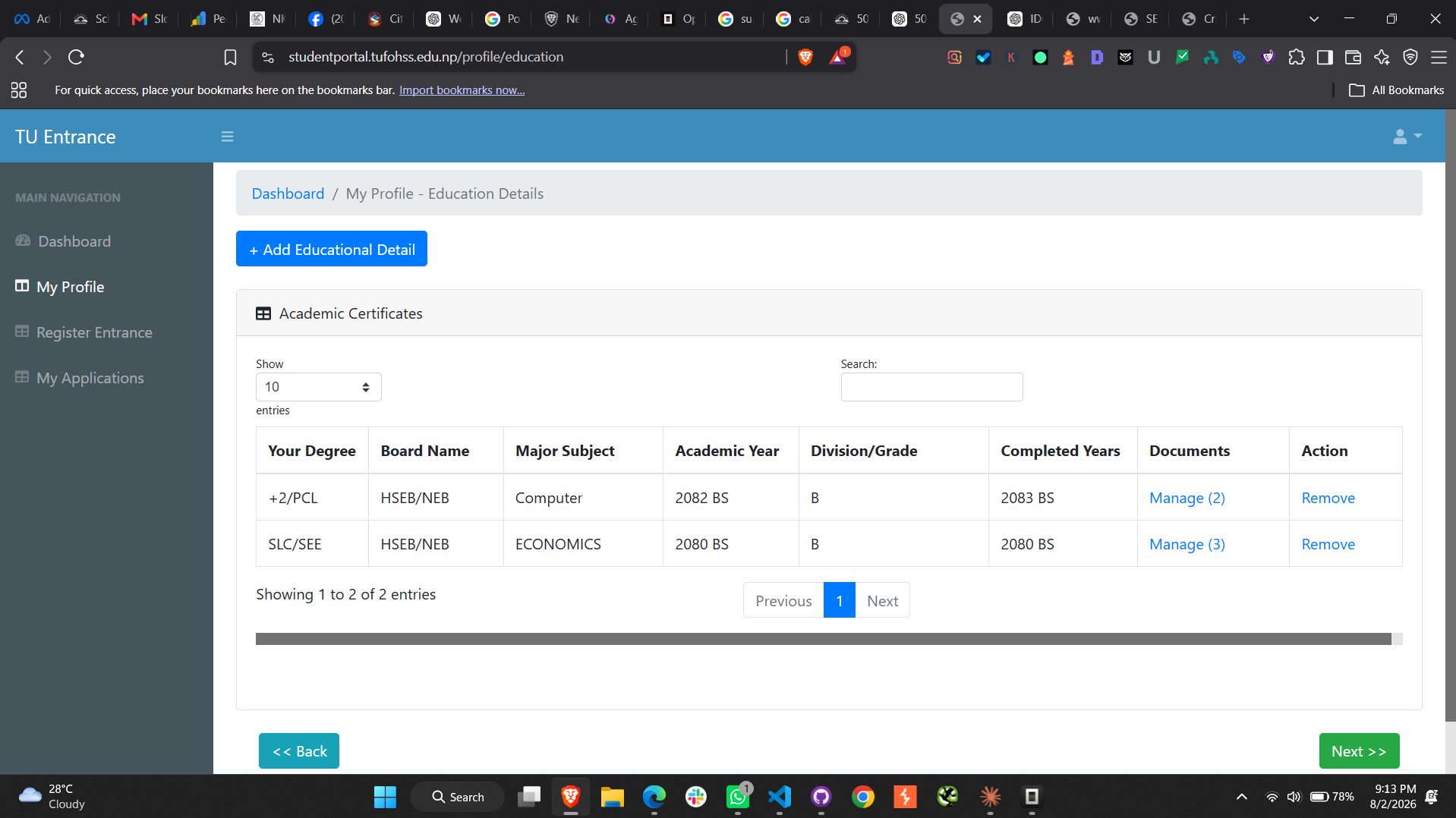
During testing, I observed that uploaded applicant documents were referenced using predictable numeric identifiers.
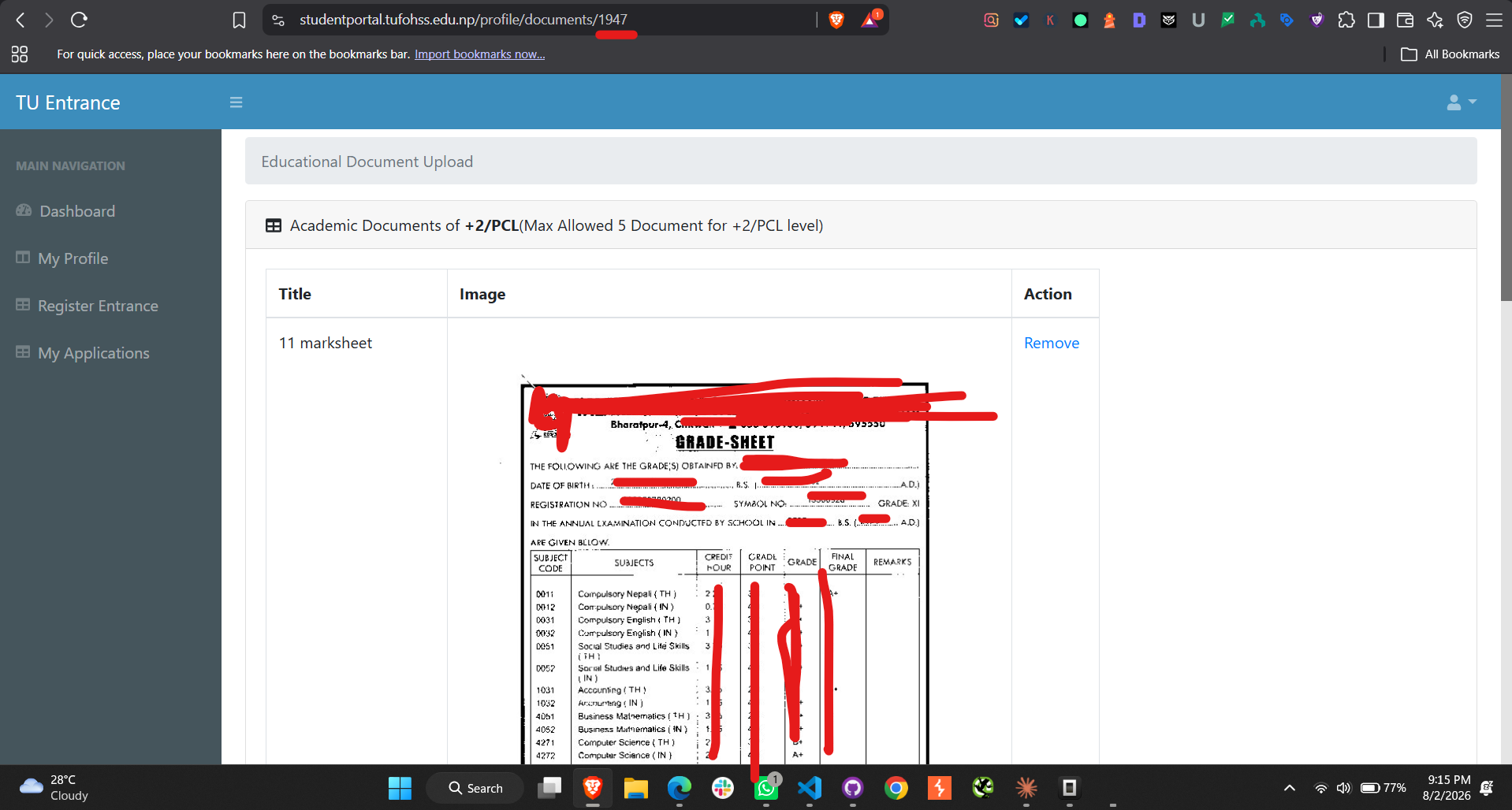
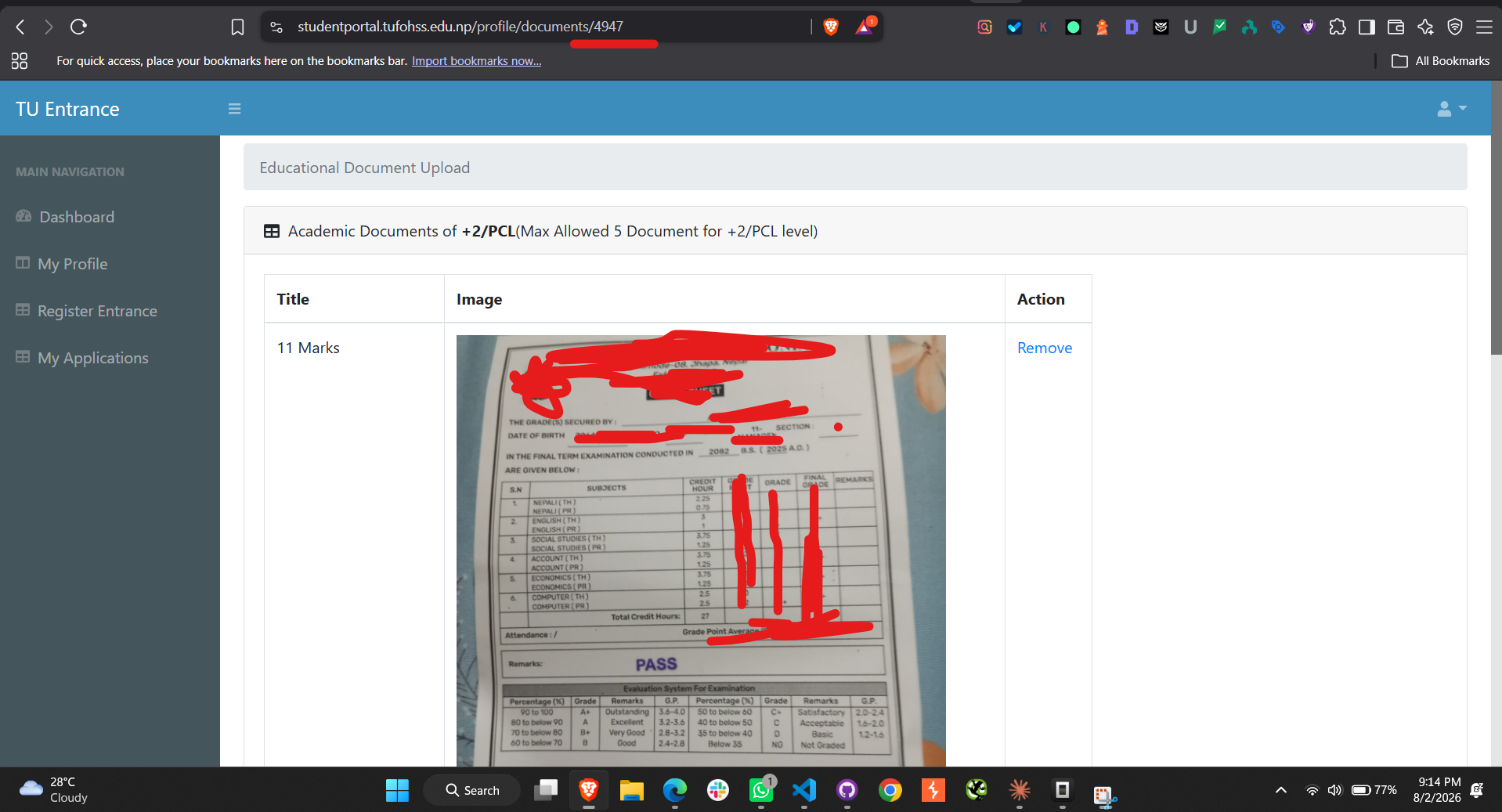
For example, changing only the numeric identifier in the document URL — from one applicant's document ID to another — directly exposes a different applicant's file:
https://studentportal.tufohss.edu.np/profile/documents/1941   ← Applicant A (own document)
https://studentportal.tufohss.edu.np/profile/documents/4941   ← Applicant B (exposed)
Because the server never verified that the logged-in user owned the document with ID 4941, simply incrementing the numeric slug was enough to reach another applicant's uploaded file.
The application did not appear to perform sufficient server-side ownership verification before serving requested documents.
As a result, an authenticated user may be able to access documents that belong to another applicant.
This represents a classic Broken Access Control vulnerability.
Why This Matters
University admission portals process highly sensitive personal information.
Depending on the uploaded documents, exposed information could include:
- Citizenship certificates
- Academic transcripts
- Character certificates
- Passport-sized photographs
- Personal identification documents
- Other admission-related files
Unauthorized exposure of these documents could lead to significant privacy concerns.
Potential Security Risks
If exploited maliciously, vulnerabilities of this nature could result in:
- Unauthorized access to applicants' documents
- Exposure of personally identifiable information (PII)
- Privacy violations
- Identity theft
- Large-scale document enumeration
- Loss of trust in the online admission system
The severity ultimately depends on the sensitivity and volume of accessible information.
Additional Observation: Verbose Database Error Messages
While testing the document upload functionality, another issue was identified.
The application displayed a raw database error directly to the user instead of a generic error message.
The error page revealed internal implementation details, including:
- Database table names
- Column names
- SQL query structure
- Internal server file paths
- Source code line numbers
Important: Although this issue is generally less severe than the Broken Access Control vulnerability, exposing internal application details can provide valuable reconnaissance information to attackers. Production systems should never expose raw database errors to end users.
Security Best Practices
To mitigate vulnerabilities of this type, developers should implement:
1. Object-Level Authorization
Every request for a document should verify:
- Is the user authenticated?
- Does the requested document belong to the authenticated user?
If either check fails, the server should deny access.
2. Server-Side Validation
Authorization should never rely solely on identifiers supplied by the client.
Every request must be validated on the server.
3. Secure Error Handling
Applications should:
- Log technical errors internally
- Return generic user-friendly error messages
- Never expose SQL queries
- Never expose filesystem paths
- Never expose stack traces
4. Security Testing
Organizations should regularly perform:
- Penetration testing
- Secure code reviews
- OWASP Top 10 assessments
- Access control testing
- API authorization testing
Responsible Disclosure
Upon discovering the issue, I chose not to publish technical details that could enable abuse.
Only the minimum testing necessary to verify the vulnerability was performed.
No attempt was made to download, retain, or misuse other applicants' documents.
The goal of responsible disclosure is to improve security while minimizing potential harm to users.
Lessons for Developers
Broken Access Control remains one of the most critical web application security issues because developers often focus on authentication while overlooking authorization.
Logging users in securely is only the first step.
Applications must also verify that users are authorized to access every requested resource.
Final Thoughts
As educational institutions continue adopting digital admission systems, protecting applicants' personal information must remain a top priority.
Implementing robust authorization checks, secure error handling, and regular security assessments can significantly reduce the risk of data exposure.
Cybersecurity is not solely about defending against external attackers — it is equally about ensuring that every authenticated user can access only the data they are explicitly authorized to view.
Need a Security or SEO Audit of Your Website?
I review web applications for security issues and technical SEO problems. Let's talk about protecting your users and your rankings.
Get in Touch